


GoTo
4.82.56K Reviews
App Specs
- Version
- 2026.9.0
- Updated On
- License
- Free
- Downloads
- 5,000,000+
- Developer
- GoTo Group, Inc.
- Categories
- Business
- Platform
- Android, iOS
Screenshots

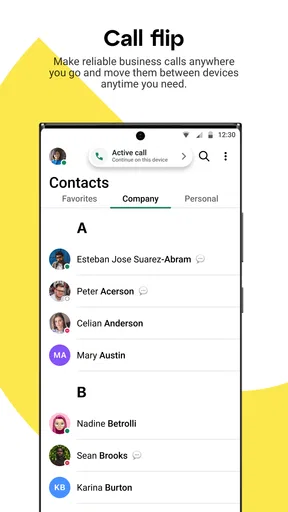
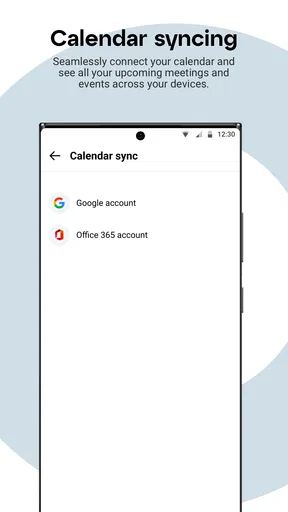
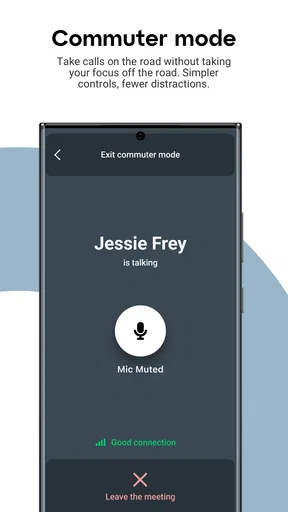
 Analysis by AppCompare
I’d be cautious about treating a household tablet as a shared GoTo account. This is a business communication app, so it makes more sense when each person uses it for their own work or scheduled calls than when everyone in a home passes one device around. The useful question is not simply whether the app is easy to open; it’s whether the person joining a call is the intended account holder and whether they can keep work conversations separate from other household activity.
One device, different people
A realistic use case is a family member joining a remote work meeting from a kitchen table while someone else needs the same phone to coordinate a delivery or check a calendar. GoTo can be part of that routine, but the app itself should not be mistaken for a household organizer. I’d agree on who is using the device and account before a call, especially if meeting details or messages could be visible to someone else.
For a small business owner, consultant, or employee who regularly speaks with colleagues and clients, that boundary is usually straightforward: GoTo is a work tool, and the person’s own device or account is the natural place for it. If a household needs shared reminders, family chat, or a common video-call space, a dedicated family-oriented service will usually be a better fit. That distinction helps avoid expecting business software to solve a problem it was not designed for.
Setup that suits a work routine
The app is free to download, and GoTo Group, Inc. develops it. Its business focus is clear even though its calling and meeting functions may also be useful for personal conversations. I’d install it when I have a recurring reason to join GoTo calls, rather than adding it to every family device just in case. Keeping only the tools people actually use makes a shared phone less cluttered and reduces the chance of tapping into the wrong account.
Before a meeting, I’d check which account is active and whether the call is the right one to join. That small habit matters more on a shared device than it does on a personal phone. If someone else in the household needs the device during the meeting, agreeing on a handoff time is more reliable than assuming the app can manage competing users or household schedules for you.
Coordination without turning it into a family hub
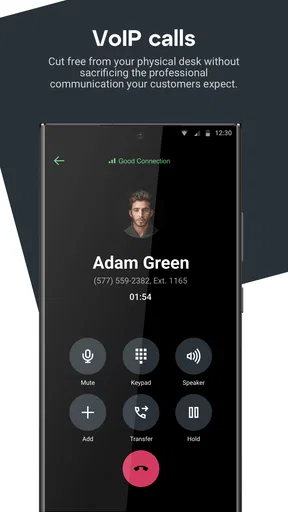
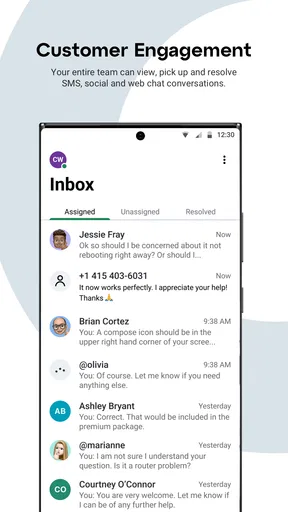
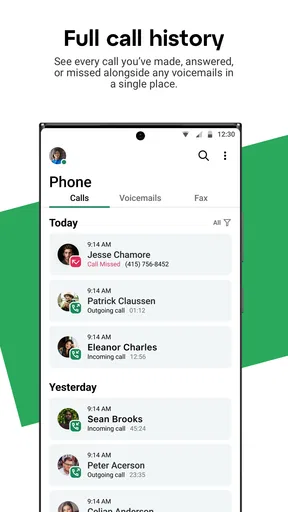
GoTo is most useful when the coordination is tied to a call: colleagues need to talk, a client needs an online meeting, or a remote team needs a place to connect. In that context, having calling, messaging, and meetings associated with one business-focused app can reduce the mental shuffle between separate communication tools. It is less compelling if the main goal is to keep grocery lists, school reminders, and family plans together.
I’d use a separate household calendar or chat for those everyday plans and reserve GoTo for work conversations. That division is practical rather than fussy: it keeps a meeting invitation from getting lost among family messages and makes it clearer which app to open when someone says, “Can you join the call?” It also means that a person who only needs basic personal video calls may find a familiar general-purpose messenger easier.
Worth Reading Before You Choose

Flipboard Shows What News Apps Must Do Beyond the Feed

Switching to Android Auto Means Rethinking Your Driving Routine

Google Calendar Makes a Crowded Week Easier to Manage

Ludo King Makes the Most of the Minutes Between Plans

Baby Panda World Brings Quick Play to Modern Phones, but Its Game Library Feels Busy

ESPN’s Live Game View Makes Following Close Games Easier
Age, trust, and expectations
The app is rated Everyone, but that label is not the same as a recommendation for children to manage work meetings or use an adult’s account. I’d keep account access with the person responsible for it and explain that work calls may involve private discussions. A child borrowing the device for a different task should not be assumed to have an appropriate reason to open the business app.
People also ask whether GoTo is a good choice if they mainly need simple calls. My answer is: only if its meeting and work-communication role matches the way they already communicate. If family members are spread across different services and just want a quick call, using the service everyone already knows may be less effort. GoTo’s appeal is stronger when it is part of a work routine, not when a household is searching for one app to cover every conversation.
Getting Started with GoTo
First things first, firing up GoTo is a breeze. Available on both Android and iOS, the installation process is straightforward. You won’t find yourself stuck in a labyrinth of permissions and settings. Once it’s up and running, you’ll appreciate the clean, intuitive interface that doesn’t overwhelm with options but still packs a punch in functionality.
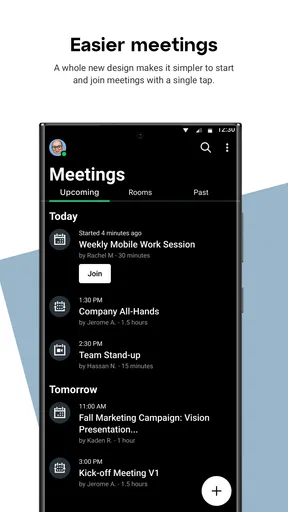
Setting up your first meeting is as simple as pie. With a few taps, you can invite participants, share agendas, and even integrate your calendar to keep everything synchronized. The app’s user-friendly design ensures that even the least tech-savvy among us can navigate it with ease.
Features That Stand Out
What really makes GoTo shine is the plethora of features tailored for both personal and professional use. Let’s dive into some of the highlights:
- High-Quality Video and Audio: No more choppy images or garbled sound. GoTo provides crystal clear video and audio, ensuring that your meetings are as close to in-person as possible.
- Screen Sharing: Need to present a deck or walk someone through a process? Screen sharing is as smooth as butter, with minimal lag or interruptions.
- Collaboration Tools: The integrated whiteboard and note-taking features are a real game-changer, allowing participants to brainstorm and jot down ideas in real-time.
- Security: In today’s world, security is paramount. GoTo’s robust encryption protocols keep your conversations secure and private.
Performance and Reliability
Let’s talk performance. During my time using GoTo, I was impressed by its reliability. Even with a spotty internet connection, the app managed to maintain a stable connection without any major hiccups. This is a huge plus for anyone working remotely or on the go.
Moreover, the app’s ability to handle large groups without a hitch is commendable. Whether it’s a small team meeting or a large webinar, GoTo proves to be a dependable platform that doesn’t falter under pressure.
Choosing it for the right kind of work
GoTo sits in the business-communication part of the app market: its central purpose is to help people connect for calls, messages, and meetings. That makes it a more natural choice for someone who already encounters GoTo at work than for a household looking for a general-purpose messenger. Compared with familiar consumer chat apps, the trade-off is focus. A work-centered tool can keep professional conversations in their own lane, while an everyday messenger may be quicker when every relative already uses it.
It also differs from a calendar or project-planning app. A calendar helps people decide when to meet; a meeting app helps them communicate once that time arrives. If your main frustration is conflicting schedules, GoTo alone will not replace a shared planning habit. If your problem is getting colleagues into the same conversation, its combination of communication functions is more relevant. I’d choose based on that specific friction rather than trying to make one app handle every part of coordination.
For a practical workflow, I’d put the meeting time in the calendar the group already checks, then use GoTo when it is time to talk. Before joining, I’d confirm the meeting and account, and keep any agenda or follow-up notes somewhere the team can find them afterward. This avoids a common mix-up: assuming that installing a meeting app automatically creates a complete system for tracking decisions. The app can support the conversation, but the team still needs a clear place for the work that follows.
Small habits that make meetings smoother
One useful habit is to test the meeting setup before an important call, rather than using the first few minutes with clients to learn where everything is. Check the audio route, camera framing, and connection in the setting where you expect to join. A phone used in a quiet office may behave differently in a busy shared room, and a quick check can reveal whether you need headphones or a more private spot.
Screen sharing calls for a little extra care. I’d close unrelated material and bring the intended document to the front before presenting, particularly on a device that other people in the home also use. This is not a special feature of GoTo so much as good meeting hygiene, but it matters because sharing a screen can expose more than the slide or page you meant to show. For discussions that involve sensitive work, using a personal work device is a wiser choice than passing around a household phone.
Likewise, I would not rely on a weak connection simply because a previous call happened to work. If the meeting matters, move closer to a reliable network or choose a quieter place before joining. A mobile connection can be convenient while travelling, but background noise, interruptions, and limited battery can become more distracting than the app itself. The best setup is often the least dramatic one: stable internet, a charged device, and a clear place to speak.
What to expect from the free app
GoTo is free, has an Everyone age rating, and has been available since September 17, 2019. It currently carries version 2026.5.1, and it requires Android 9 or later. Those details make it easy to judge basic fit: someone with an older Android device should check compatibility before planning to rely on it, while iPhone users can find it on iOS. Its scale is reflected in a 4.8 average from around 152,000 ratings and over 5 million installs, alongside roughly 2,500 written reviews.
Those figures can help a new user feel that this is an established app, but they do not promise that every meeting will be flawless or that every feature suits every account. I’d treat ratings as a starting point, then decide according to the people I need to reach and the tools my workplace expects me to use. In business communication, compatibility with colleagues often matters more than a feature comparison on paper: a polished app is of limited use if your team holds its calls elsewhere.
A reasonable question is whether someone can use it without turning their phone into a full-time meeting station. If calls are occasional, installing it for the meetings that require it may be enough; there is no need to make it the center of personal communication. Someone who joins work calls daily may appreciate having it ready, but should still consider battery, privacy, and whether a headset or laptop is more comfortable for longer sessions.
Where the experience can fall short
My main reservation is not that GoTo lacks a clear role, but that its role is narrower than the broad promise of an all-purpose communication hub. Households may want shared lists, familiar group chats, and casual calls in one place. A business meeting app is not automatically the best answer to those needs, and trying to use it that way can create account confusion instead of reducing it.
There is also a learning curve whenever a group mixes devices, accounts, or different levels of comfort with online meetings. The clean interface helps, but the meeting host still has to make sure participants know where to join and how the call will run. If your organization already uses another platform, switching everyone just for a slightly different interface may add friction. In that case, the better choice is usually the tool your team can reliably access, unless there is a concrete work reason to change.
GoTo is a stronger fit for people who regularly need business calls, messaging, or online meetings and want a dedicated place for that activity. It is a weaker fit for someone seeking family controls, a shared household dashboard, or a simple video-calling app that every relative already understands. I would not install it for a child to coordinate family life, nor would I ask a household to replace its usual chat service unless GoTo is already part of the work they need to do.
Final Thoughts
In a market flooded with virtual meeting apps, GoTo manages to hold its own by offering a blend of simplicity, reliability, and powerful features. It’s a comprehensive solution for anyone looking to streamline their online communication and collaboration.
If you’re tired of hopping between different apps to manage your meetings, give GoTo a shot. It’s a one-stop-shop that’s sure to make your professional life a whole lot easier. And hey, who doesn’t love a little less chaos in their day?
My personal recommendation is to start with one real work use case: a recurring team call, a client conversation, or a remote discussion where screen sharing would help. That gives you a fair way to judge whether the interface and workflow suit you without asking the whole household to change its habits. If you need a business-focused communication app and your contacts are ready to meet there, GoTo is worth trying. If you mainly want to organize family schedules or make casual calls, I’d stick with tools built around those needs instead.
Pros
- User-friendly interface makes navigation easy.
- Offers real-time location sharing with friends.
- Supports multiple transportation options.
- Integrates well with calendar apps for scheduling.
- Provides reliable route and traffic updates.
Cons
- Some features require a premium subscription.
- Occasional inaccuracies in estimated arrival times.
- Limited offline functionality.
- Battery drain can be significant during use.
- In-app ads can be intrusive at times.
FAQs for GoTo
What is GoTo and what features does it offer?
GoTo is a versatile app that combines communication and collaboration tools for both personal and professional use. It offers features like video conferencing, screen sharing, and chat functionalities, making it ideal for virtual meetings and team collaboration. Users can also schedule meetings and integrate with calendars for better organization.
Is GoTo compatible with both Android and iOS devices?
Yes, GoTo is compatible with both Android and iOS devices. The app is designed to provide a seamless experience across different platforms, allowing users to access its features regardless of their device type. This makes it convenient for users who switch between mobile operating systems.
Are there any costs associated with using GoTo?
GoTo offers a range of plans, including a free version with limited features. For more advanced functionalities, such as extended meeting durations and larger participant capacities, users can opt for subscription-based plans. It’s important to review the pricing options on their official website to choose the best plan for your needs.
How secure is the GoTo app for handling sensitive information?
Security is a priority for GoTo, which uses encryption protocols to protect data during transmission. The app also offers features like password-protected meetings and user authentication to enhance security. However, users should always follow best practices for online security, such as using strong passwords and regularly updating the app.
Can GoTo integrate with other applications I use?
Yes, GoTo can integrate with various third-party applications, enhancing its functionality. Users can connect GoTo with popular tools like Google Calendar, Microsoft Outlook, and Slack, allowing for a more streamlined workflow. Integration capabilities make it easier to manage tasks and communications within a single platform.


